-

Click GO para ver la guía de configuración
-
Download blackvpn-2.3.6-i686-tap921.exe
Ejecutar para iniciar la instalación.
-
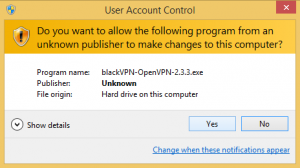
Click Yes para permitir que el software se ejecute
-
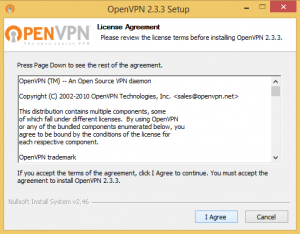
Click I Agree
to accept the OpenVPN License
-
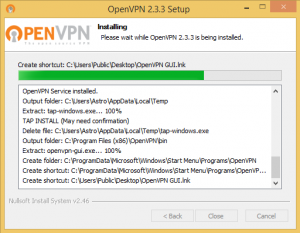
Installation will now start and install to
C:\Program Files (x86)\OpenVPN\
-
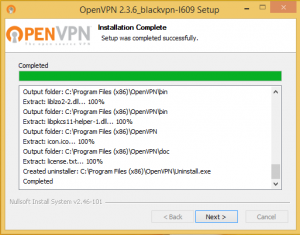
Click Próximo cuando se completa la instalación
-
Run the OpenVPN GUI
via the icon on your desktop.
-
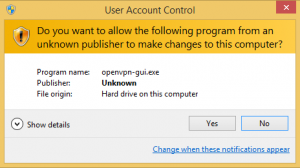
Click Yes para permitir que el software se ejecute.
This is needed for OpenVPN to work.
-
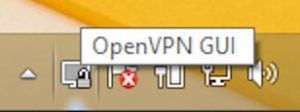
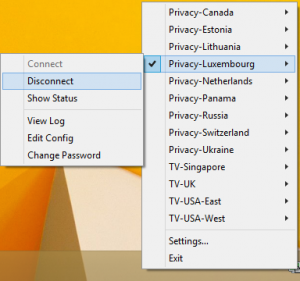
Right click on the OpenVPN GUI
icon in the Taskbar
-
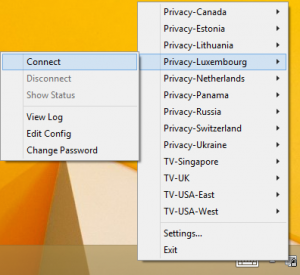
Select the VPN location
Click Conectar
-
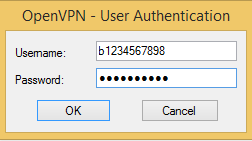
Enter your blackVPN username and password
Click Okay
-
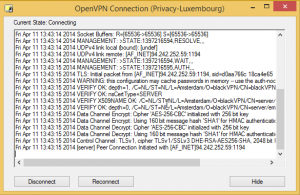
Wait a minute for the VPN to connect.
-
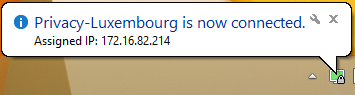
The taskbar icon will turn green
and a balloon will appear confirming
that the VPN is now connected.
-
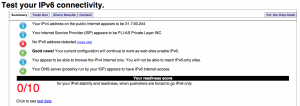
Visita
test-ipv6.com
Si usted tiene una dirección IPv6
usted debe
APAGUE IPv6 conectividad.
-
Para desconectar ... right-click
on the OpenVPN GUI icon
Select the VPN location
Click Desconectar
Downloads
Advanced Setup
Advanced users can manually install the open source OpenVPN app and manually add the blackVPN configurations files.
FAQs
También vea nuestra base de conocimientos de comunes de Windows + Cuestiones OpenVPN.
Su cuenta