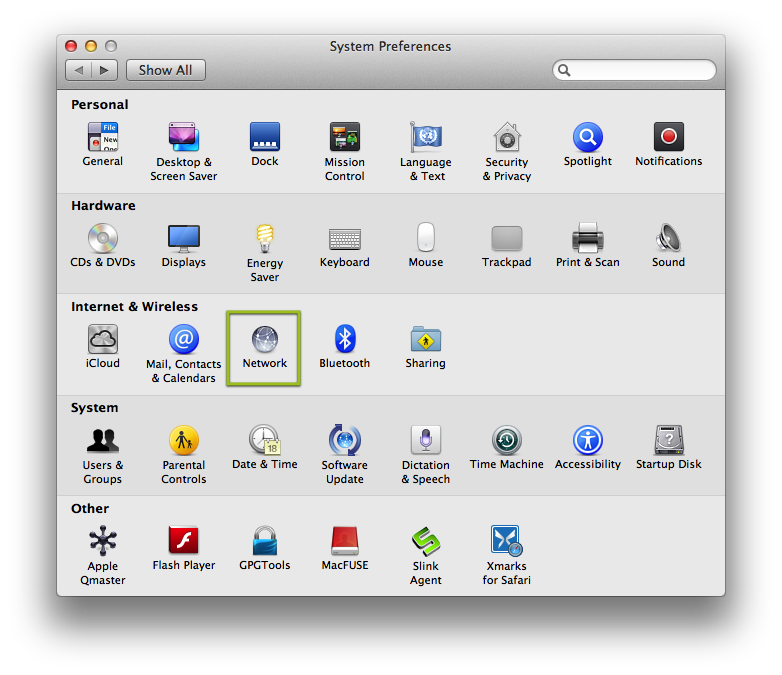
Start by going to the System Preferences and selecting Network
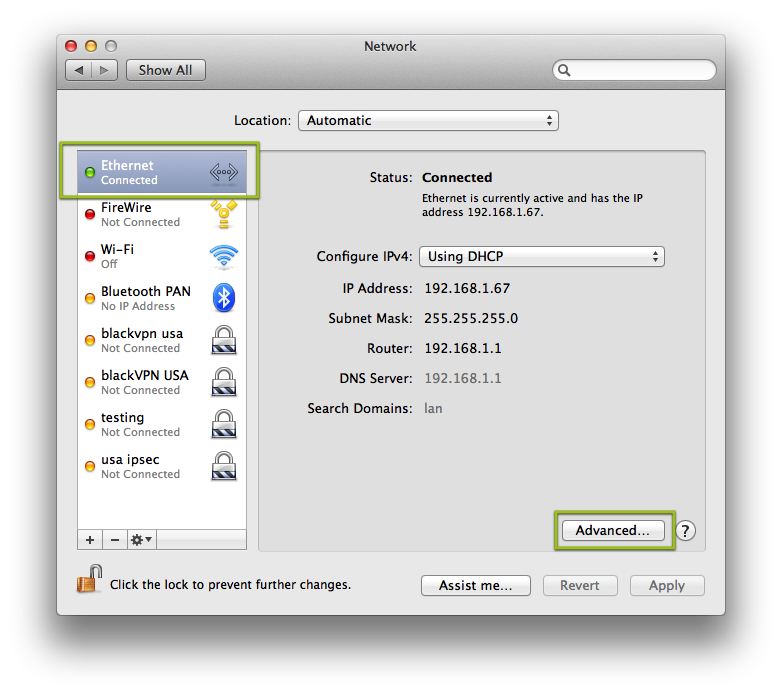
Select Ethernet if you are using Ethernet and Wi-Fi if you are using Wi-Fi. Then click on Advanced
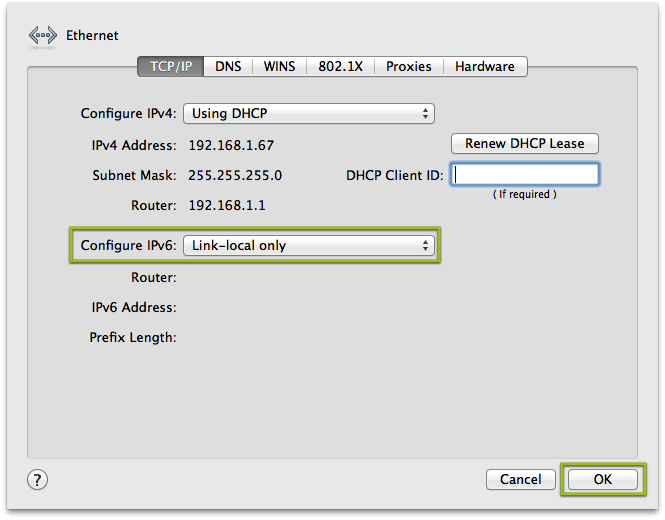
Change from Automatically
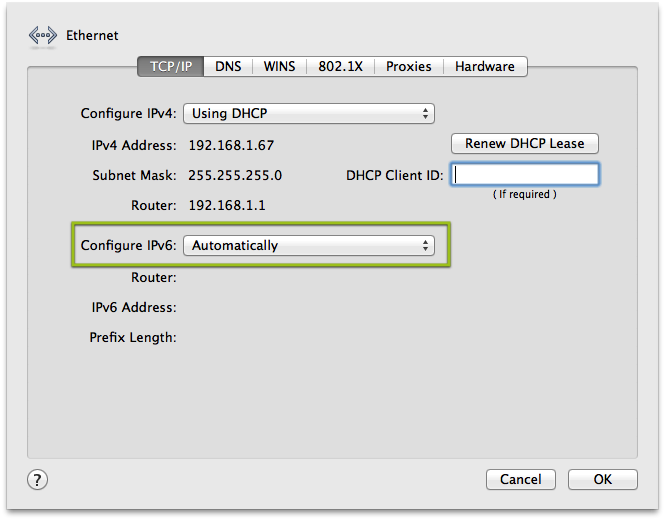
Set it to Link-local only and click on OK. This will stop your computer from trying to use IPv6 to connect to the internet.
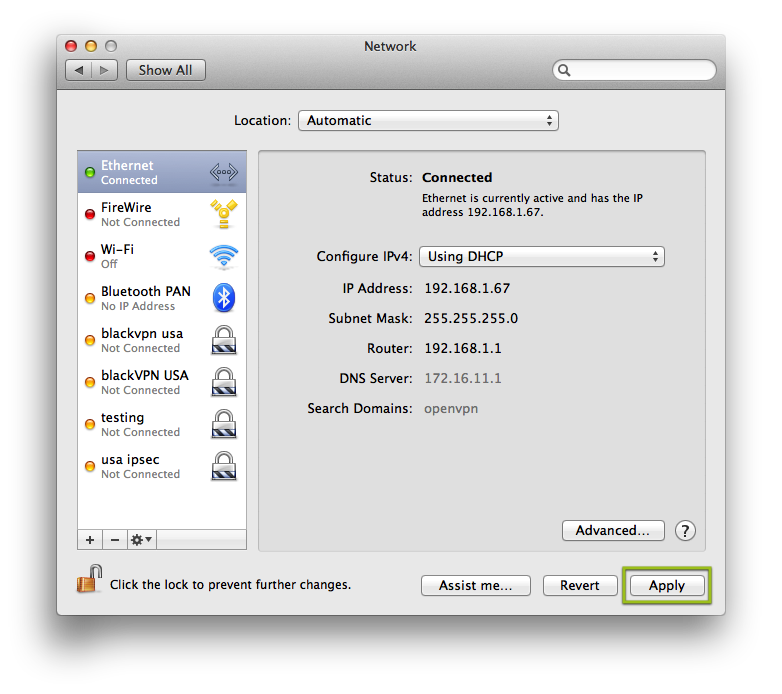
Click on Apply to finalize the changes.