

Follow these simple steps to install VPN on Windows XP using the PPTP protocol.
1. Click Start menu, Settings, Control Panel.
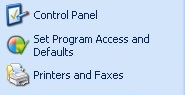
2. Välj Nätverk-och Internet.

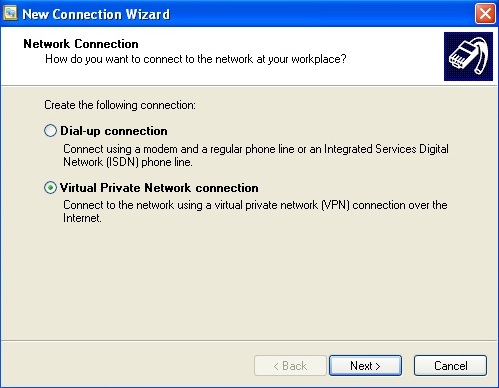
3. Click on “Create a connection to the network at your workplace”.

4. Select Virtual Private Network connection (VPN). Klicka sedan på Nästa.
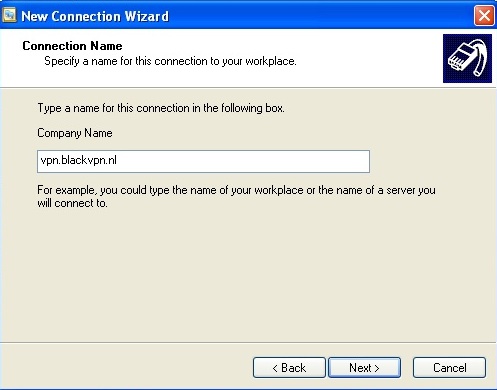
5. Ange ett namn på anslutningen “blackVPN”. Klicka sedan på Nästa.
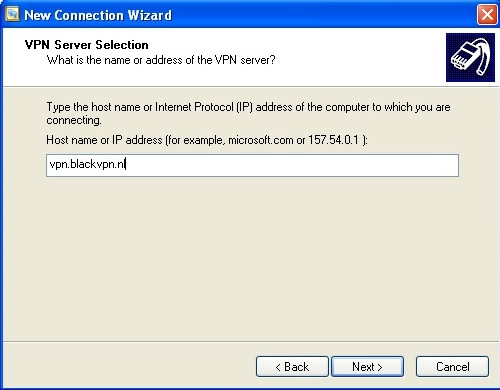
6. For the “Host name or IP address” enter the correct address for your server:
| Canada: | ca.vpn.blackvpn.com |
| Estonia: | vpn.blackvpn.ee |
| Litauen: | vpn.blackvpn.lt |
| Luxembourg: | vpn.blackvpn.lu |
| Netherlands: | vpn.blackvpn.nl |
| Panama: | vpn.blackvpn.com.pa |
| Russia: | vpn.blackvpn.ru |
| Switzerland: | vpn.blackvpn.ch |
| Ukraine: | vpn.blackvpn.com.ua |
| Singapore: | vpn.blackvpn.sg |
| UK: | vpn.blackvpn.co.uk |
| USA East: | eastcoast.vpn.blackvpn.com |
| USA West: | westcoast.vpn.blackvpn.com |
7. Select “My use only” if you want this connection to apply only to your user on the computer. Klicka sedan på Nästa.
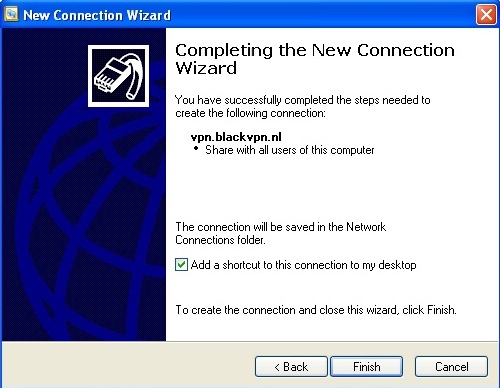
8. Click Finish.
9. You should disable “File and Printer Sharing” as it is a security issue having it enabled.
10. Right click on the newly created blackVPN connection and choose “Properties”
11. Click on the “Nätverk” och avmarkera “File and Printer Sharing for Microsoft Networks”.
12. Click OK.
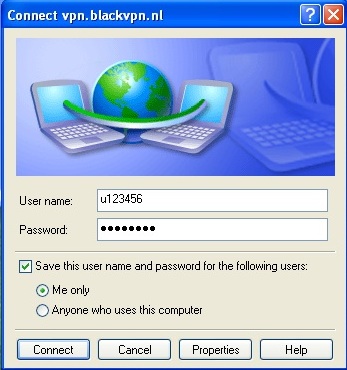
13. To use blackVPN PPTP, double click the connection and fill out your details.
Enjoy!
