-

Click GO to view the setup guide
-
Download
blackVPN-2.3.6-i686-nopass.exe
Run it to start the setup.
-
Click on I Agree
to accept the OpenVPN License
-
Select Continue Anyway
to install the TAP-Windows-Adaptor v9
-
Click on Next when the installation is complete
-
Enter your blackVPN Username & Password
Click Next
-
Click Finish to start OpenVPN GUI
-
Right-click on the OpenVPN GUI
icon in the Windows Taskbar
-
Select the VPN location
Click Connect
-
Wait a moment for the VPN to connect.
-
The taskbar icon will turn green
and a balloon will appear confirming
that the VPN is now connected.
-
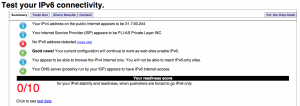
Visit
test-ipv6.com
If you have an IPv6 address
you must
TURN OFF IPv6 connectivity.
-
To Disconnect...right-click
on the OpenVPN GUI icon
Select the VPN location.
Click Disconnect
Downloads
Advanced Setup
Advanced users can manually install the open source OpenVPN app and manually add the blackVPN configurations files.
FAQs
Also see our knowledgebase of common Windows + OpenVPN issues.
Your Account