-

Klicken GO um das Setup-Handbuch anzeigen
-
Herunterladen
blackvpn-2.3.6-i686-tap921.exe
Führen Sie es, um das Setup zu starten.
-
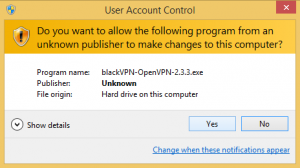
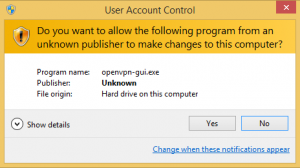
Klicken Ja , damit die Software zu laufen
-
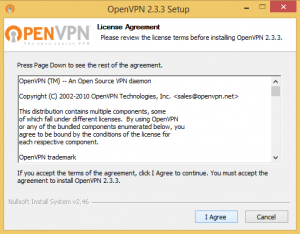
Klicken I Agree
to accept the OpenVPN License
-
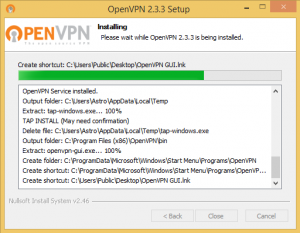
Installation will now start and install to
C:\Program Files (x86)\OpenVPN\
-
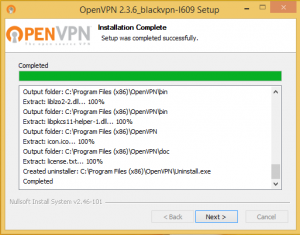
Klicken Nächste Wenn die Installation abgeschlossen ist
-
Run the OpenVPN GUI
via the icon on your desktop.
-
Klicken Ja , damit die Software zu laufen.
This is needed for OpenVPN to work.
-
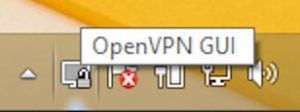
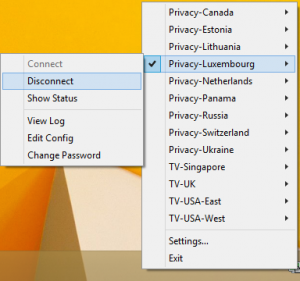
Right click on the OpenVPN GUI
icon in the Taskbar
-
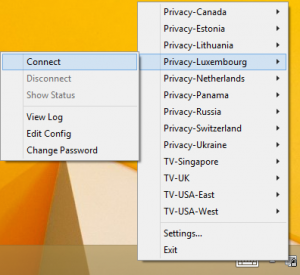
Select the VPN location
Klicken Verbinden
-
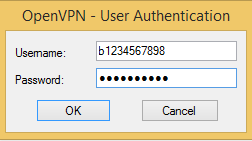
Enter your blackVPN username and password
Klicken Ok
-
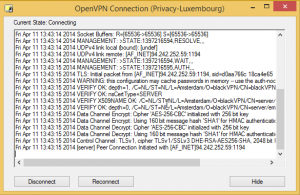
Wait a minute for the VPN to connect.
-
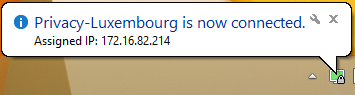
The taskbar icon will turn grün
and a balloon will appear confirming
that the VPN is now connected.
-
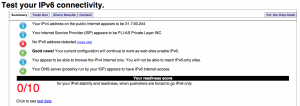
Besuchen Sie
Test-ipv6.com
Wenn Sie eine IPv6-Adresse haben
Sie müssen / du musst
Sie AUS IPv6 Konnektivität.
-
Zum Trennen ... right-click
on the OpenVPN GUI icon
Select the VPN location
Klicken Unterbrechen
Downloads
Advanced Setup
Advanced users can manually install the open source OpenVPN app and manually add the blackVPN configurations files.
FAQs
Sehen Sie auch unsere Wissensdatenbank von gängigen Windows- + OpenVPN Fragen.
Ihr Konto